Selling tickets
Sell tickets on your own website when you’re ready. Guests choose a day, pay by card on Stripe’s page and get their tickets by email straight away. The money goes into your own bank account.
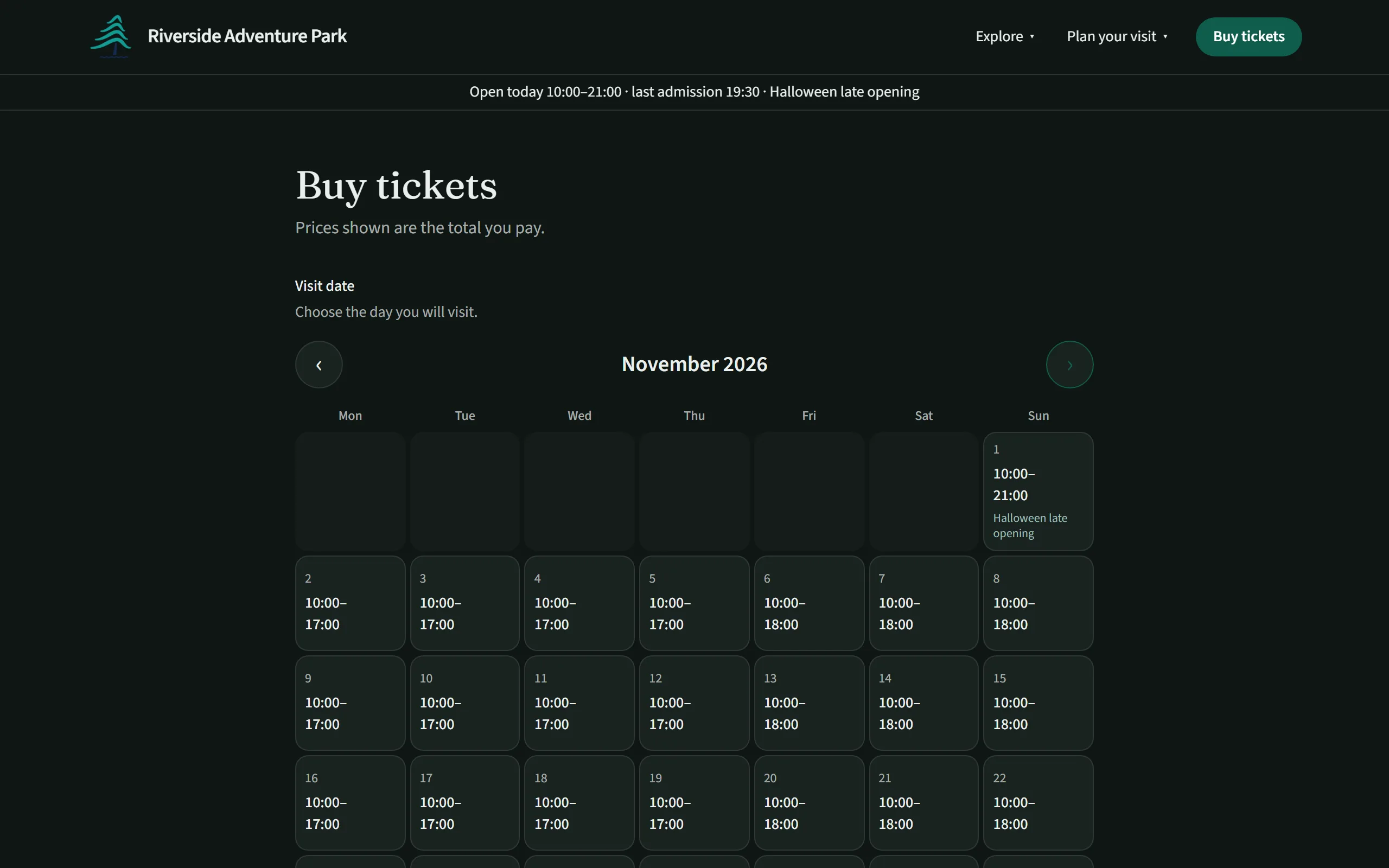
Tickets on your own website
Turn online tickets on when you’re ready: start with just your website and add tickets later. Guests choose their tickets and a visit date on a calendar that shows each day’s hours and any day close to selling out, then pay by card on Stripe’s page.
Each guest gets an email with a QR code for every ticket, the day’s opening hours, your address and parking. Payments go into your own Stripe account and on to your bank. Parkstack doesn’t take a fee on tickets at the moment.
- Prices shown as the total guests pay
- Card payments by Stripe, including Apple Pay and Google Pay
- Choose whether checkout asks for a name, phone number or postcode
- Lost the email? Find the order and send the tickets again
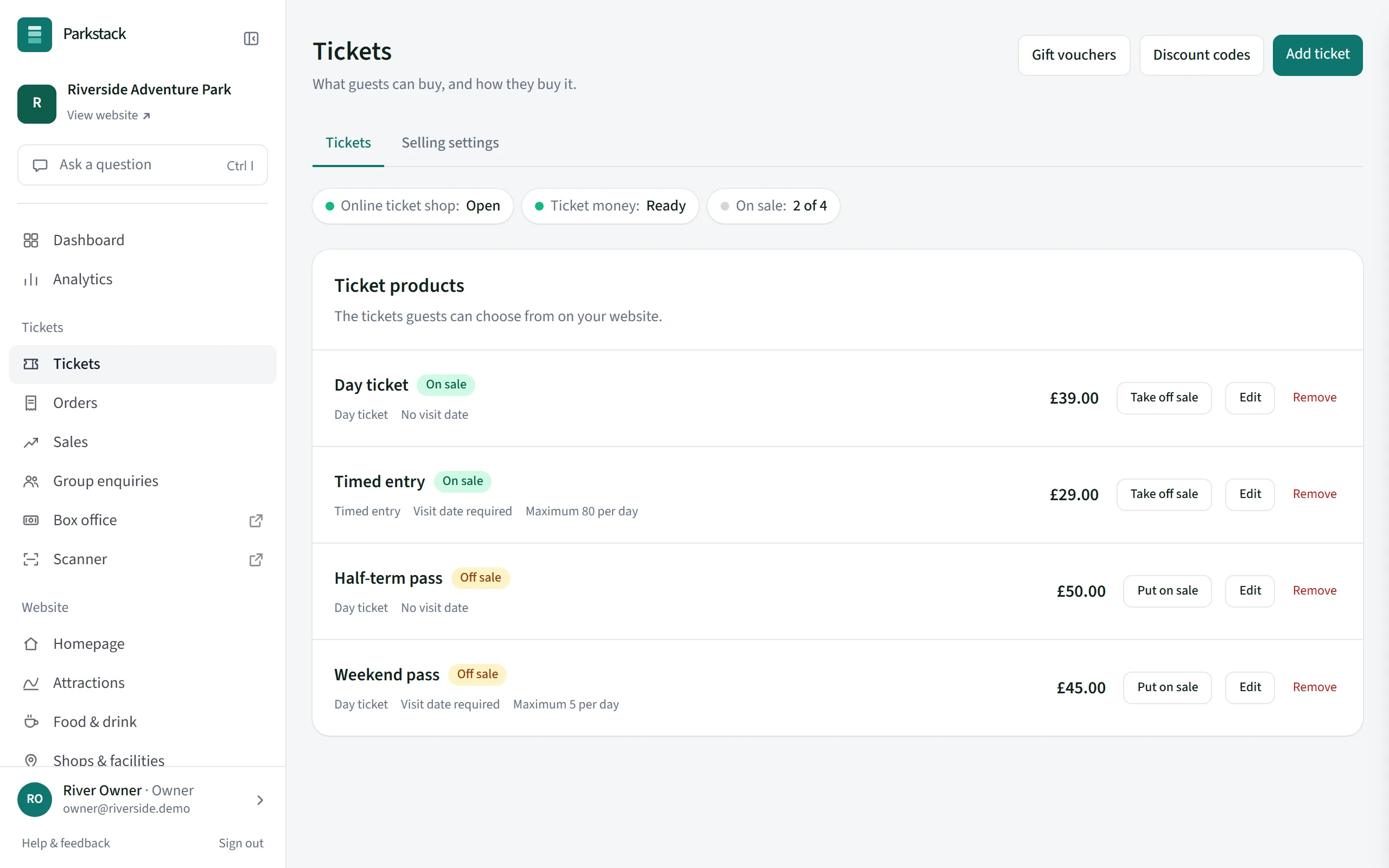
The tickets you sell
Sell a ticket for a chosen day, with a limit on how many can be sold for each day, or a ticket for any day the park is open. Closed days can’t be booked, and online sales for today stop at last entry.
- Daily limits for the whole park and for each ticket
- Tickets for several days in a row, or passes for any few days within a period
- Tickets that let guests leave and come back on the same day
- A higher price for tickets bought on the day
- VAT per ticket, standard or exempt, if you are VAT-registered
- Take a ticket off sale at any time without losing it
Charging more on the day is included with Professional. See plans
Discount codes and gift vouchers
Make discount codes for a percentage or an amount off, for some tickets or all, for set dates or a set number of uses, online, at the box office or both.
Sell gift vouchers with a money balance that guests spend on tickets. Buyers choose an amount and whether the voucher goes to them or straight to someone else on a day they pick. For your shop, print gift cards in your own design that only gain their value when staff sell them.
- Codes for a percentage or money off, with dates and limits
- Gift vouchers sold online and at the box office
- A balance that can be spent over several visits
- Printed gift cards, activated on the Scanner when sold
Schools, coaches and other groups
Take a group booking yourself: choose the tickets, set a group price and free places for teachers or drivers, and hold the places until a pay-by date. The organiser gets a link to pay, and the whole group comes in with one QR code.
Larger parties can also send you an enquiry from your website, which you answer and track in the console.
- Places held until the organiser pays
- A reminder before the pay-by date, and the places released if it passes
- One QR code for the whole group, and a printable group sheet
- Group visit enquiries from your website
Group visit enquiries are included with Professional. Group bookings work on every plan. See plans
When plans change
Refund a whole order, single tickets or an amount, and the places go back on sale. Move a booking, or a whole day’s bookings, to another day, and the tickets are emailed again.
If you have to close for a day, let staff, or guests themselves, refund that day’s bookings for a while, without giving anyone wider refund rights.
- Full and partial refunds, back to the card or noted as cash
- Choose who on your team can give refunds
- A refund period you choose, with a reason recorded outside it
- Move one booking or a whole day’s bookings
- Refunds for a closed day, by staff or by guests
What you need first
Before guests can buy, you connect a bank account through Stripe, fill in who guests buy from, and publish your privacy notice and ticket terms. Parkstack gives you starter wording for both, and the console shows what is left to do.
How-to guides
More of Parkstack
- Your websiteBuild and run your park’s website yourselves
- The gate and box officeScan tickets and sell on the day
- ReportsSales, website visits and your accounts
- Your team and your dataWho can do what, and keeping things safe