Everything you need to run your attraction online
A proper website your team can run themselves, built for small attractions. Tickets, a box office, gate scanning, seasonal homepages and visitor reports are there too, whenever you need them.
Visit the demo park ↗Your website
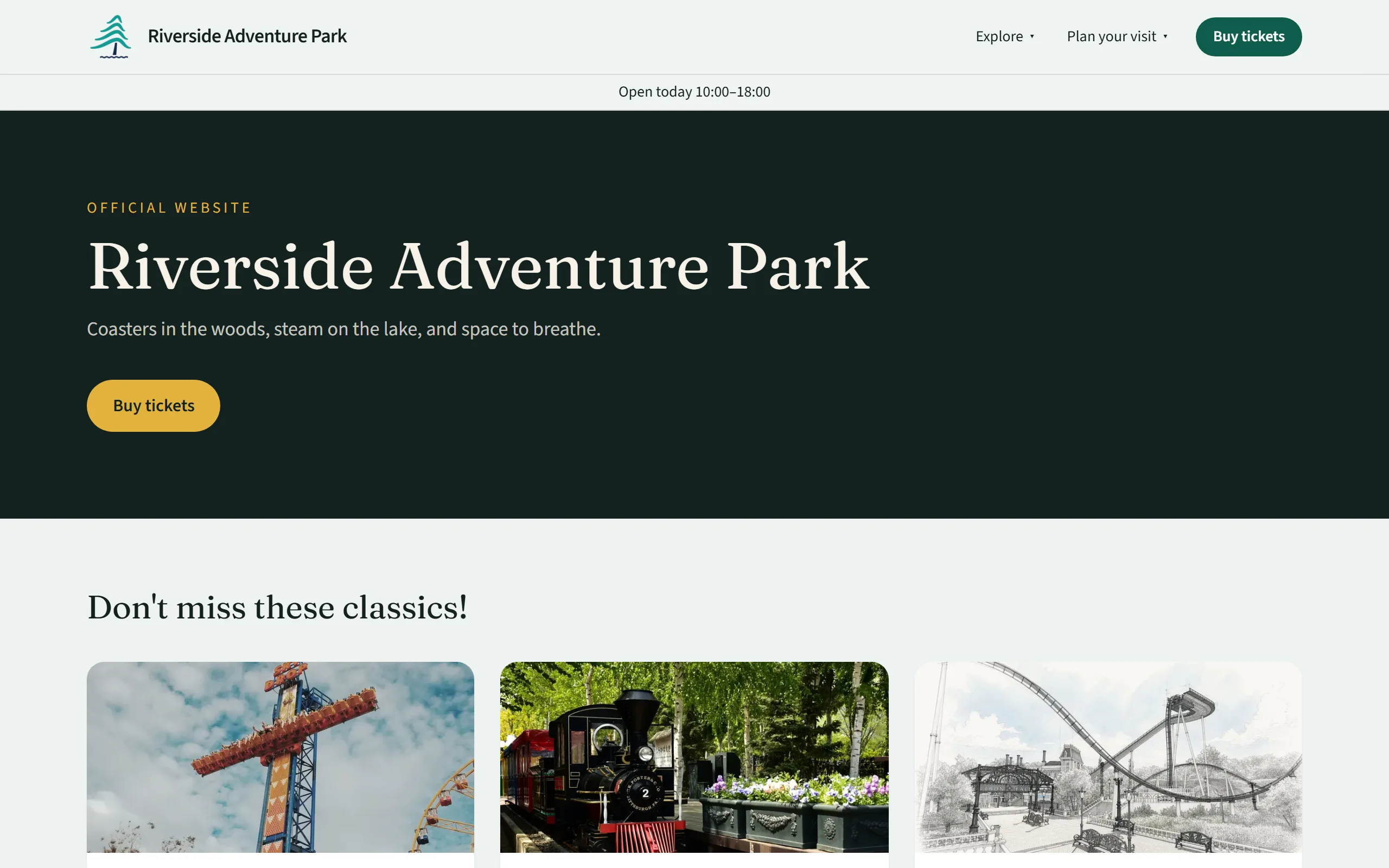
Each kind of content has its own form, so pages come out laid out properly without anyone designing them.
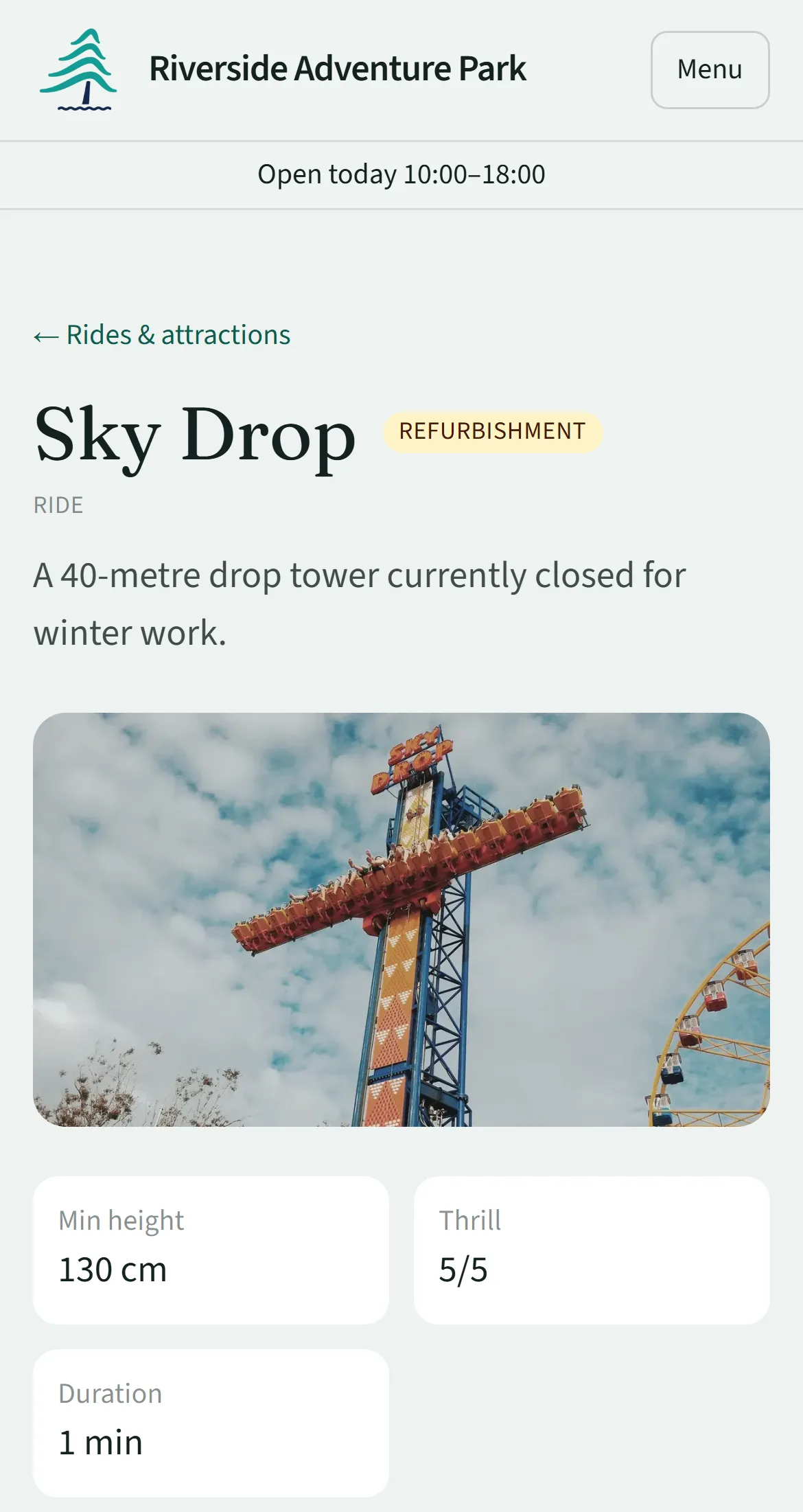
- Attractions with heights, ride times, who each is for and wheelchair access
- A “How tall is your rider?” filter on the attractions list
- Your park’s areas, with a station in each for a cable car or train, and an area filter for guests
- “New” badges on rides for as long as you choose
- Cafés, restaurants and kiosks, each with its own page
- Shops, toilets, baby changing, first aid and other facilities
- Your own button on any attraction, food place or shop, such as Book a table
- Events with repeating dates and showtimes, and what is on now and next
- Opening hours, last entry and special dates, with today’s hours under the header and, if you choose, the weather forecast
- Close early or open late on the day, with a notice at the top of your website that comes down by itself
- A pop-up message for guests, such as a seasonal closure, between dates you choose
- Email everyone booked for a day in one go, each with a button to their booking
- A page of what is closed today and what is closed for the season
- A park map, as a photo or a PDF
- Answers to the questions guests always ask, in groups you choose
- About, accessibility and contact pages, with a message form that emails you
- A homepage and pages of your own, built from ready-made blocks: banners and slideshows, photos beside text, galleries, videos, featured events, the weather, awards and reviews, and more
- Ready for search engines: your attractions, events and opening hours described in the form Google reads, and verification with Google Search Console
Your look
Guests see your park’s name, logo and colours on every page.
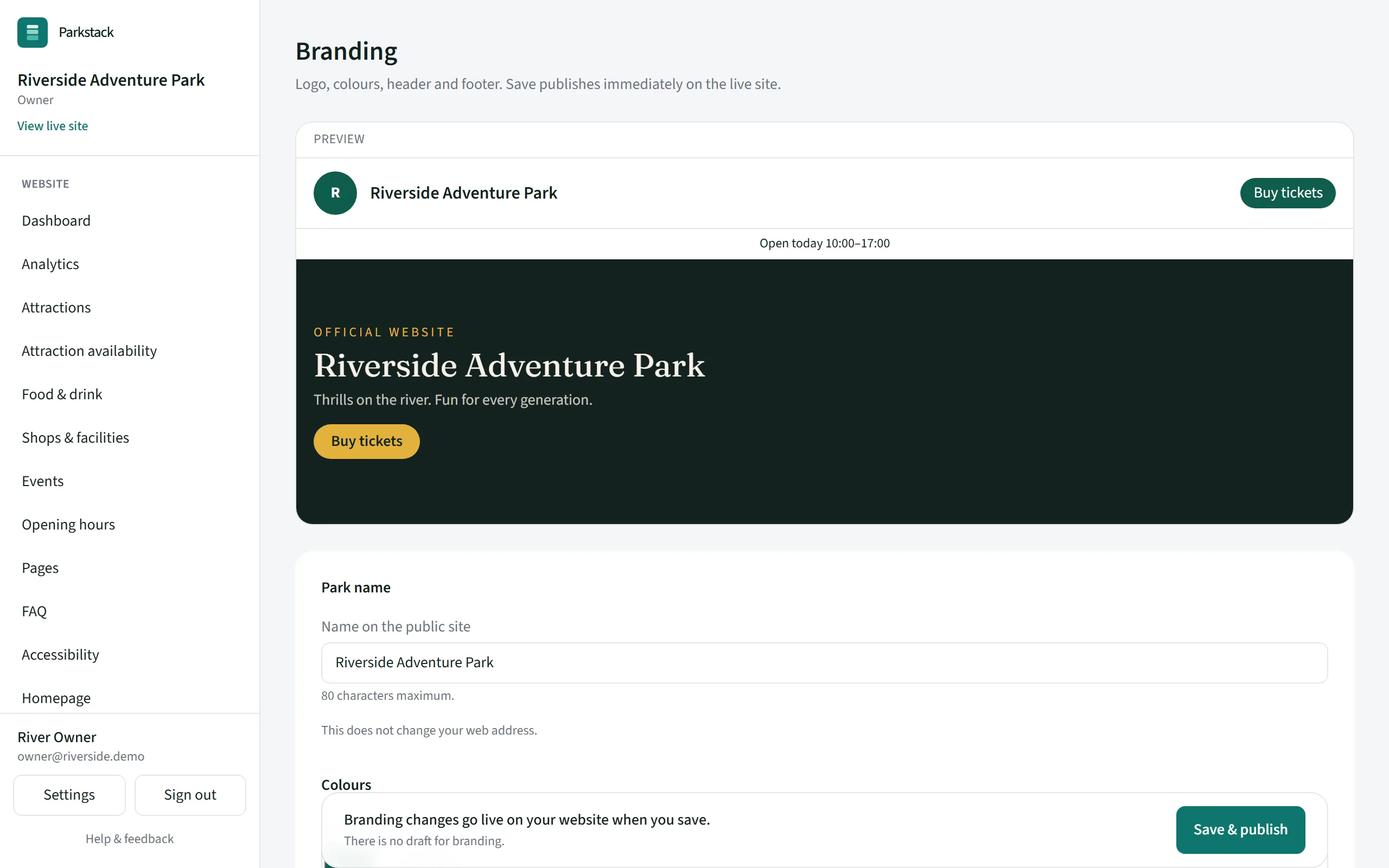
- Choose a starter design when you set up, then make it your own
- Your logo and colours
- A choice of typefaces, header styles and button shapes
- Header, announcement bar and footer colours to match
- A dark night look for your pages
- A footer with your social links and legal lines
- Connect a web address you own
- Your logo in every size you need, including a version for dark backgrounds
- Posters for opening times, events, ticket prices and attractions, ready to print (Professional)
Want something fully custom?
Most parks build their website in Parkstack. If you want a website or app designed from scratch, your agency can build it on the Parkstack API.
- Designed however you like, on any platform, by your agency or with an AI tool
- Opening hours, attractions, food and drink, events and your pages come from Parkstack
- You still edit everything in Parkstack, and the new site shows it within a minute
- Tickets, gift vouchers and payments run on Parkstack, so the Scanner and box office work the same
- Your designer connects it with a key you make in Parkstack
- A phone app or screens around the park can use it too
Included on every plan. How it works for your parkFor your web designer
The Parkstack API →Seasons and launches
Get the next season ready in quiet weeks, and let it go live by itself.
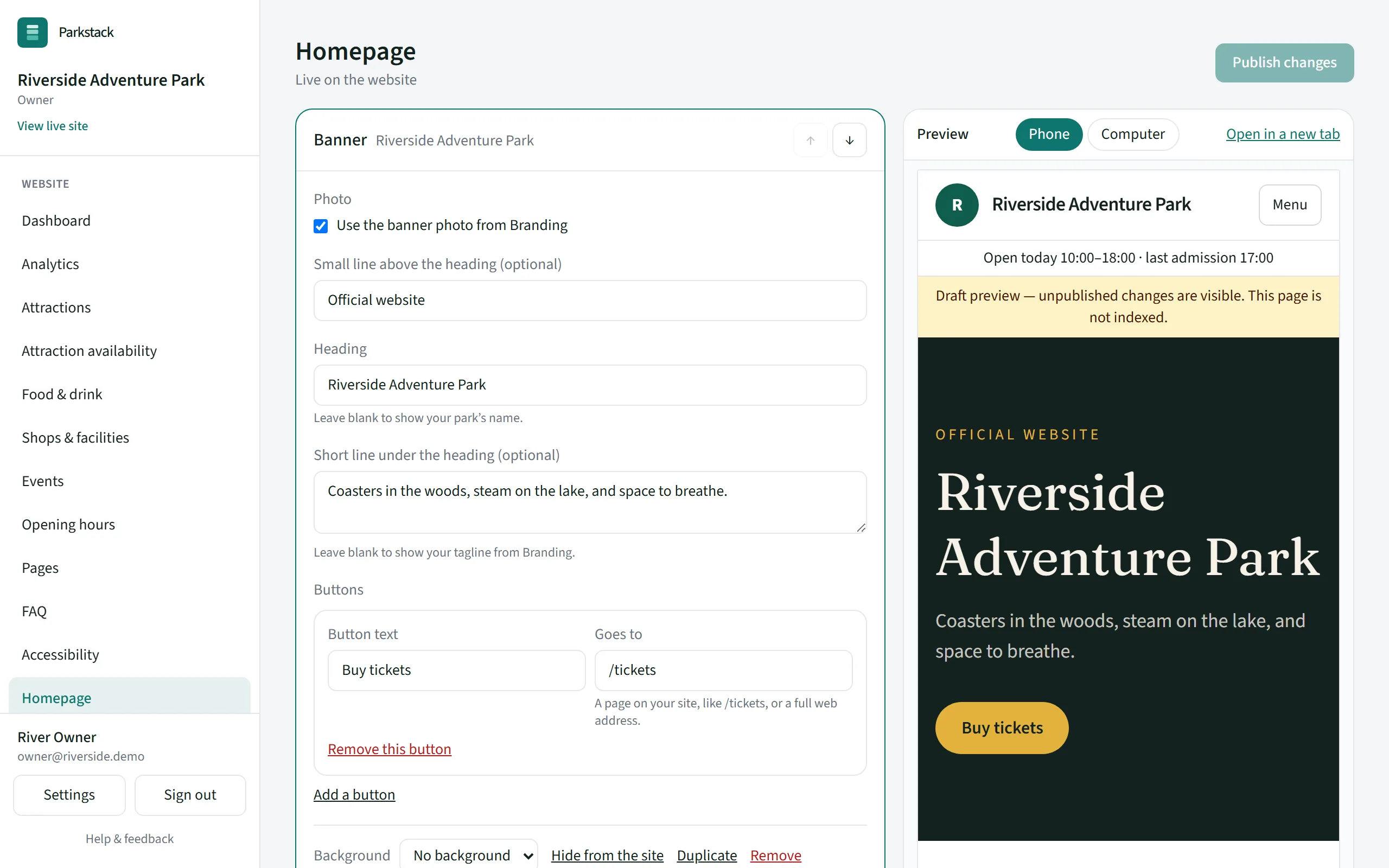
- A seasonal homepage, such as Halloween, that shows between dates you choose
- The night look for the whole site while it shows
- Publish a page, ride or event at a set time
- A countdown block on your homepage
- A teaser at the new page’s web address until it goes live
- Changes save privately and go live only when you publish
Seasonal homepages and publishing at a set time are included with Professional. See plans
More about your website →Tickets
Sell tickets on your own website when you’re ready. It’s optional: start with just your website and turn tickets on later.
- Day tickets, or tickets for a chosen visit date with a daily limit for the whole park and any ticket type
- A calendar of places left, and closed days that cannot be booked
- Online sales for today stop at last entry
- Charge more on the day than when guests book ahead
- Prices shown as the total guests pay, with VAT per ticket: standard or exempt
- Choose whether checkout asks for a name, phone number or postcode
- Ticket emails with a QR code for every ticket, and the day’s hours, address and parking
- Group visit enquiries for larger parties
- Group bookings for schools and coaches: a group price, free places for teachers, places held until the organiser pays by a link, and one QR code for the whole group
- Move one booking, or a whole day’s bookings, to another day, with the tickets emailed again
- Tickets that let guests leave and come back on the same day
- Multi-day tickets for days in a row, and passes for any few days within a period
- Refund whole orders or single tickets, with an optional refund period
- Discount codes for a percentage or money off, online and at the box office
- Gift vouchers with a balance, sold online and at the box office, sent on the day the buyer chooses
- Printed gift cards for your shop, in your own design, activated on the Scanner when they are sold
- Annual passes, individual or family, priced per pass or per person, naming each person, with their photo checked on the Scanner
- Pass renewals from a reminder email or the pass page, starting when the old pass ends
- A pass price calculator that compares a pass with your own day tickets
- On a day the park has to close, let guest services, or guests themselves, refund that day’s bookings for a while
- A list of what your ticket terms should cover, which grows as you switch on more
Ticketing is included on every plan, and Parkstack doesn’t take a fee on tickets at the moment. Price on the day, group enquiries and annual passes are included with Professional. See plans
More about selling tickets →At the entrance
Check tickets on any phone, and sell on the day from a box office that works like a till, without giving staff the rest of the console.
- Scan the QR code on each ticket, or search by name, email or order number
- Let a whole booking in with one scan, or one ticket at a time
- Keeps working with no signal: today’s tickets are kept on the phone and the scans sent later
- Guests with a come-back-in ticket are welcomed back, with when they first came in
- A clear green, amber or red answer, with a buzz and a beep
- See when a ticket was admitted and which staff member did it
- Undo a mistaken admission without erasing the history
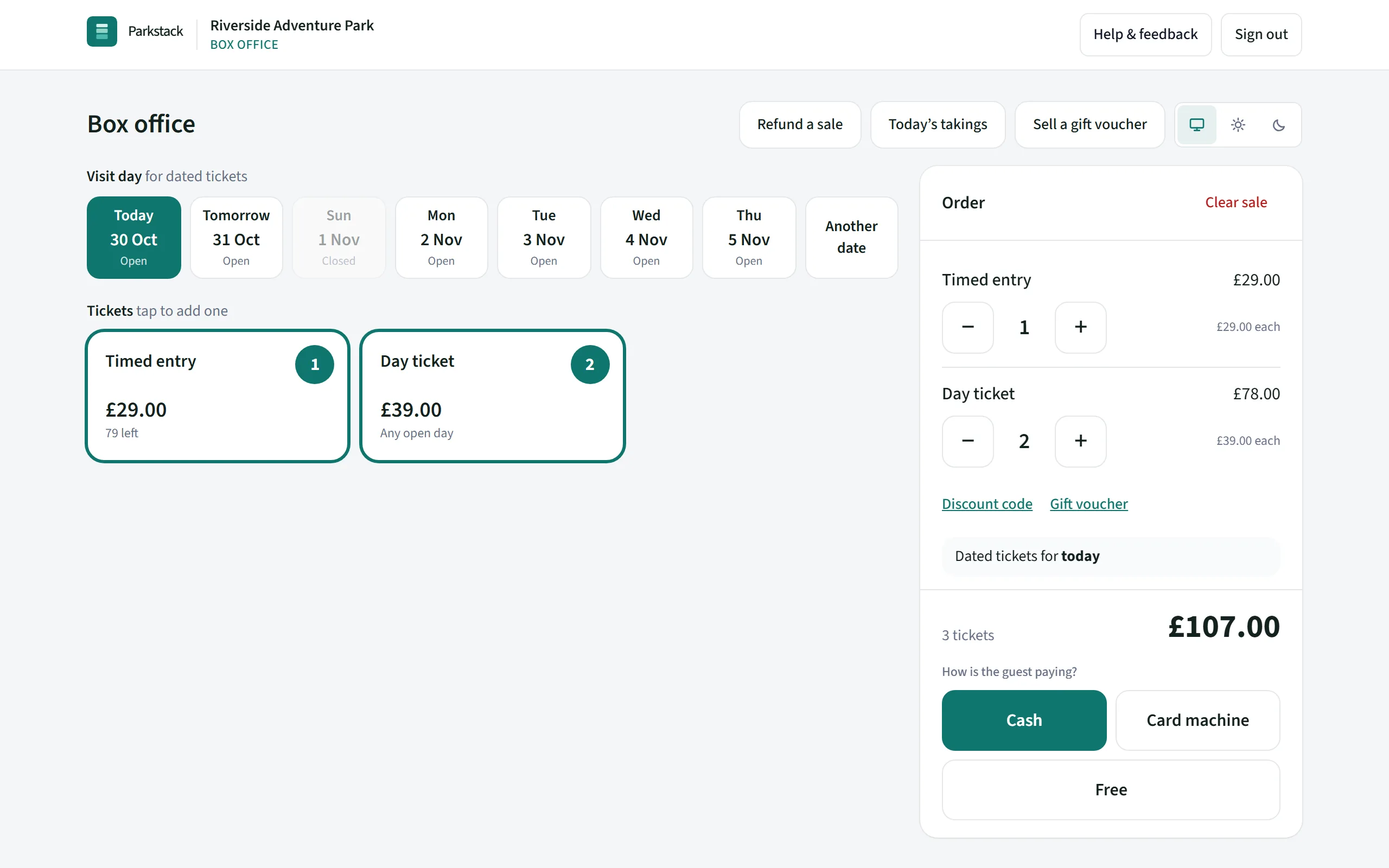
- A box office with large ticket buttons and the day chosen for you
- Take cash, your own card machine or a Stripe card reader
- Printed receipts and end-of-day takings
- Light and dark screens for the Scanner and the box office
- Scanner and box-office staff free on every plan, up to 25
Stripe card readers are included with Professional. Cash and your own card machine work on every plan. See plans
More about the gate and box office →Money
Ticket money goes straight to your own bank account, and the figures are ready for your bookkeeping.
- Online payments by Stripe into your own account
- Box-office takings for any day by payment method and staff member
- An accounts export, day by day or line by line, for Xero, QuickBooks or Sage
- A refunds report with who gave each refund and why
- A money report: gift voucher money still owed, discount codes and refund reasons
- Attendance for every day, including numbers from another ticketing system, each visitor counted once
- Weather beside your attendance, what changes your numbers, and a two-week forecast (Professional)
- Choose who on your team can give refunds
- A refund period you choose, with a reason recorded for any refund outside it
The accounts export, money report and refunds report are included with Professional. See plans
More about reports →Analytics
Understand what guests look at, where they came from and how website visits turn into ticket sales.
Analytics
1 June to 30 June
Compared with the same dates last year
Website visits
1,842
+18%
Page views
6,314
+21%
Attraction views
2,906
+24%
Purchases
286
+12%
Most viewed attractions
Views
- Website visits, page views, attraction views and ticket views
- Where visits came from: search, social, email and your own campaigns
- Phones, tablets or computers
- Plain notes on what stands out, such as a day close to selling out
- Popular searches and searches that returned no results
- Checkout starts, completed purchases and conversion
- Compare months, quarters, years or any custom date range, or the same dates last year
- Export daily figures as a CSV, with daily totals kept for good
- Privacy-conscious first-party measurement, with a notice and opt-out for guests
Essential includes analytics on the main dashboard. The full report is included with Professional. See plans
More about reports →Your team
Written for the people who run the park, not for web developers.
- Owner, manager, box office and scanner staff roles, with invitations by email
- Each person sees only what their role can use
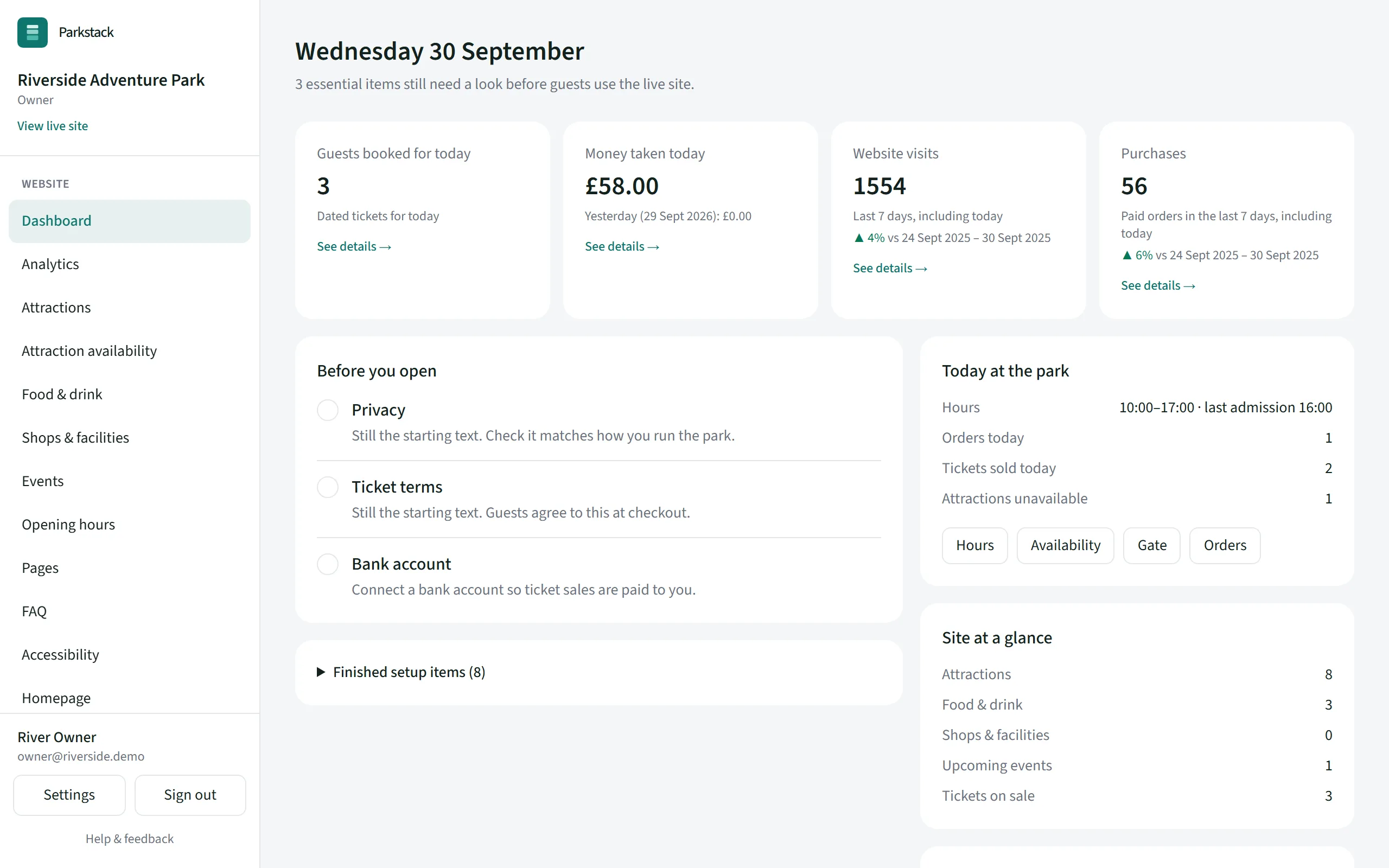
- A dashboard with the next seven days and their weather, sales, website visits and what needs attention
- A help assistant that answers questions about your own park and drafts descriptions for you to check
- Opening hours, event times and group bookings in your own calendar app
- See your changes in a live preview as you type, on a phone or a computer
- A media library with folders, and photos filed by where they are used
- Hidden from search engines until you choose to be listed
Peace of mind
Mistakes can be put right, and nothing important depends on remembering to save a copy.
- Every published version of a page, ride or event kept, ready to load again
- Deleted pages, photos and files kept for 30 days
- Encrypted backups of everything, every night
- Take the website offline with your own message, and bring it back at once
- Answer guests’ requests for a copy of their data, or to delete it, from the console
- Two-step sign-in, required for owners