Website and ticketing software for visitor attractions
Parkstack helps small attractions, from amusement parks and fairgrounds to farm parks, zoos and museums, build their own website and keep it up to date. When you’re ready, sell tickets on it too. No developer needed.
Try Professional free for 14 days. No card needed.
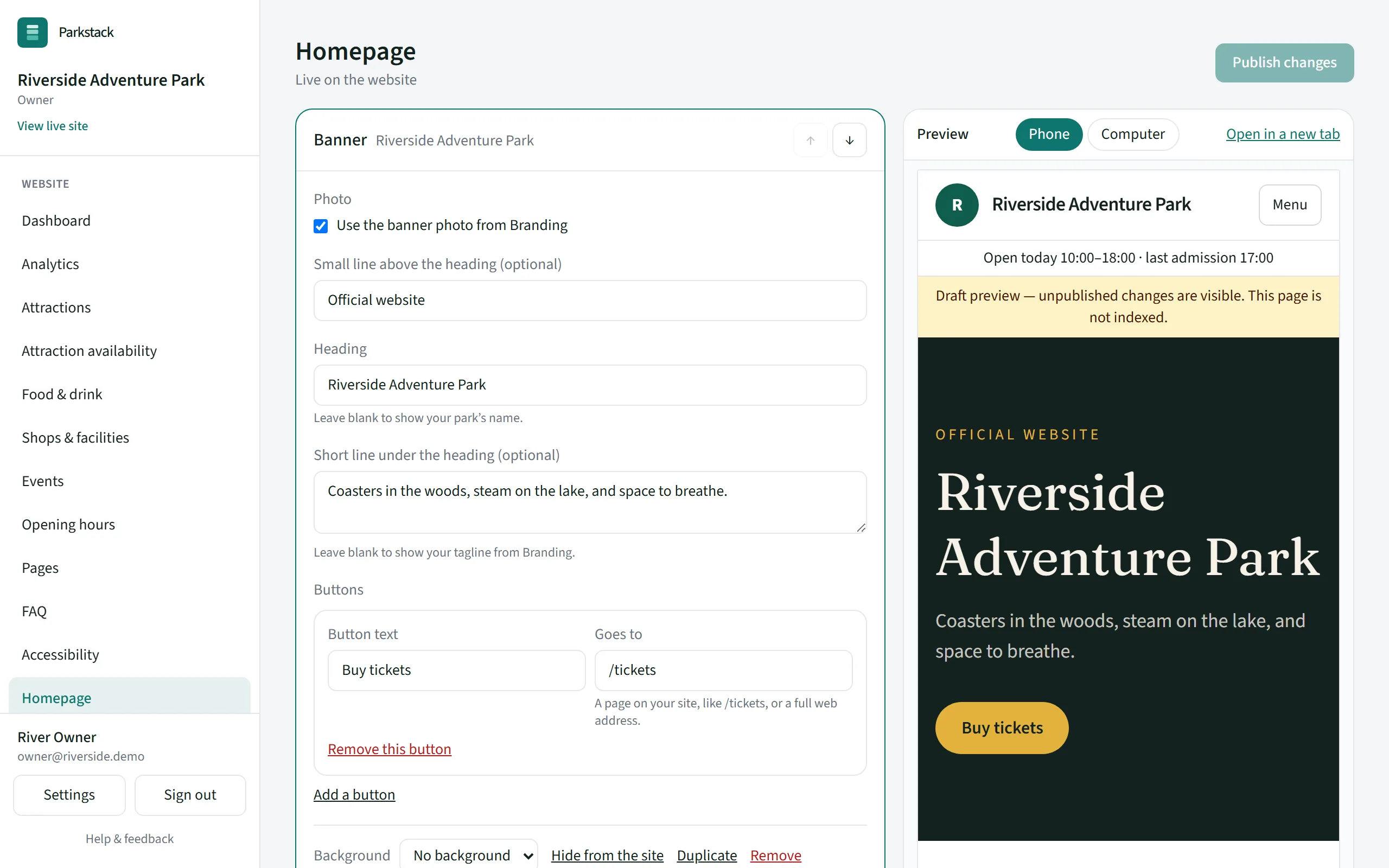
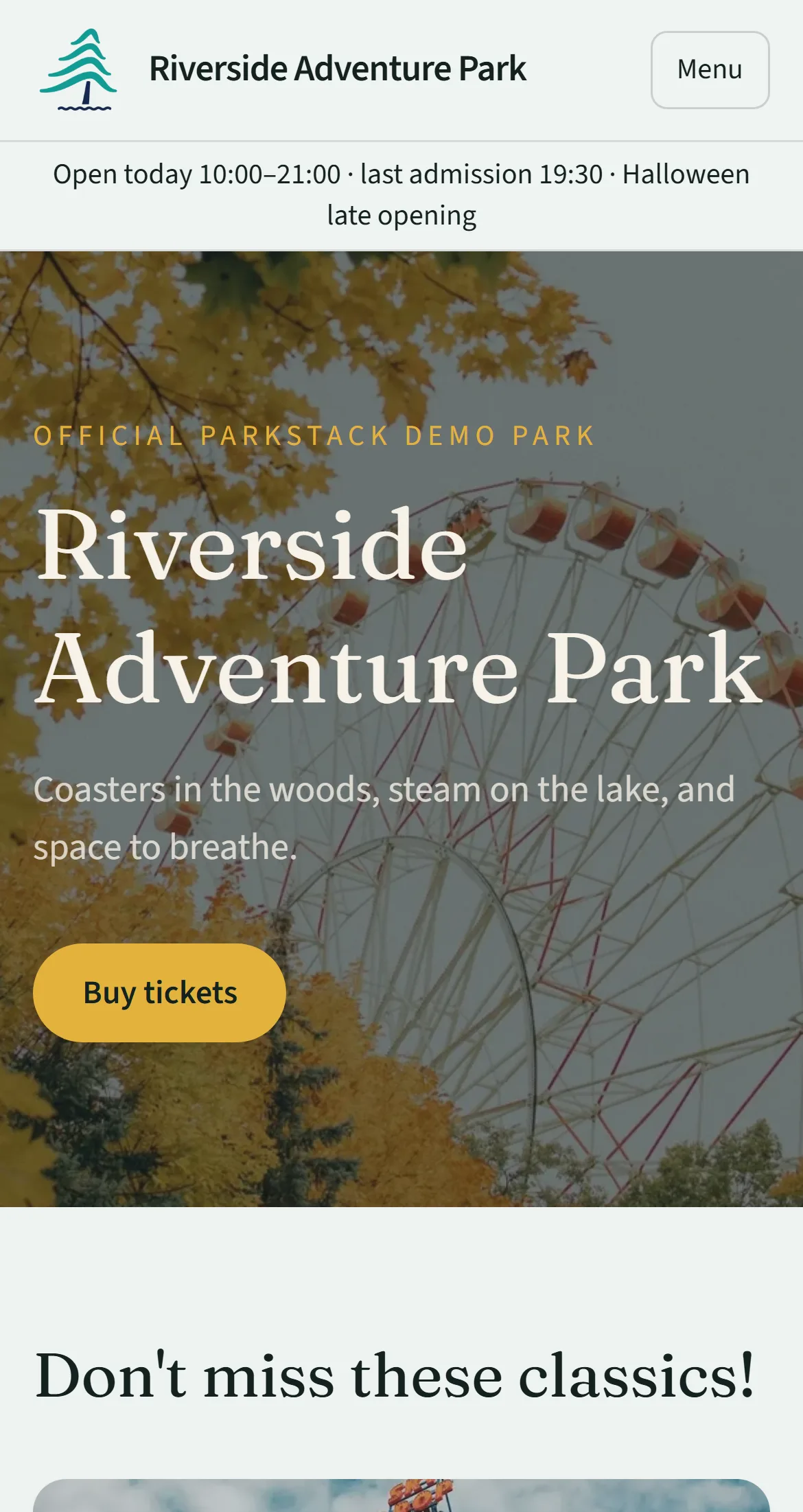
Give guests the information they need to visit
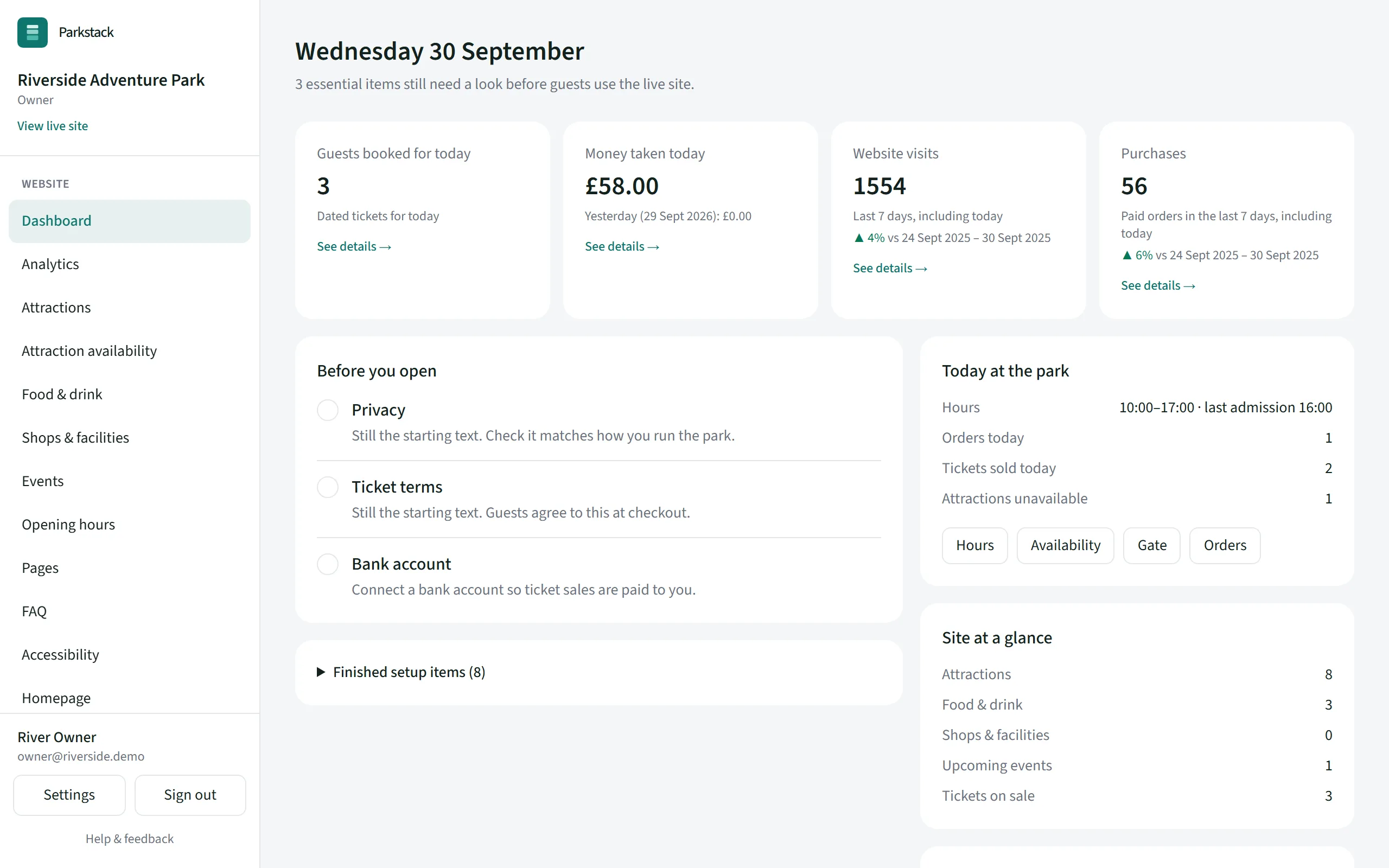
Publish attractions, food, events, opening times, accessibility information and tickets in a site that works on any screen. This is Riverside, our demo park, built entirely in Parkstack.
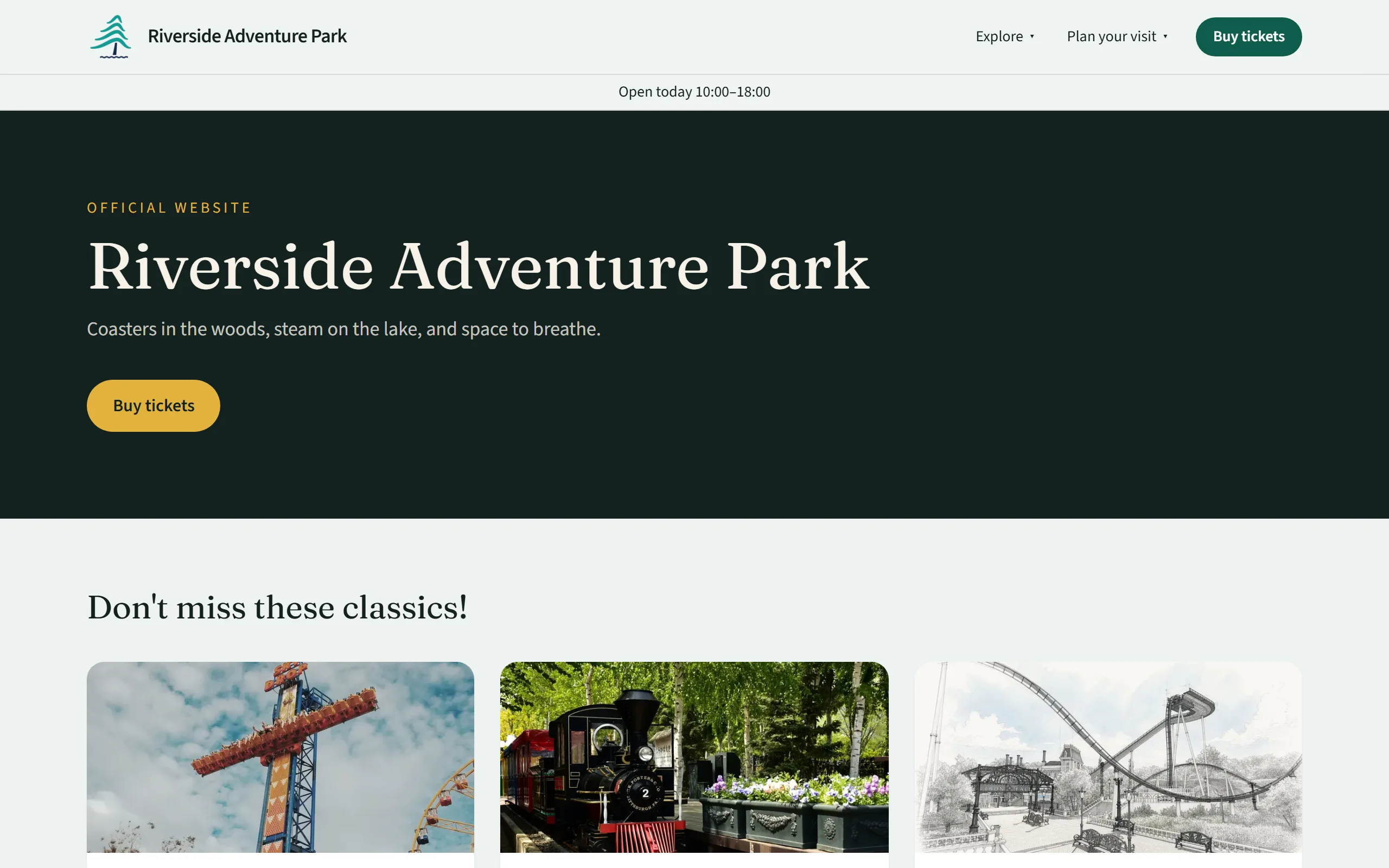
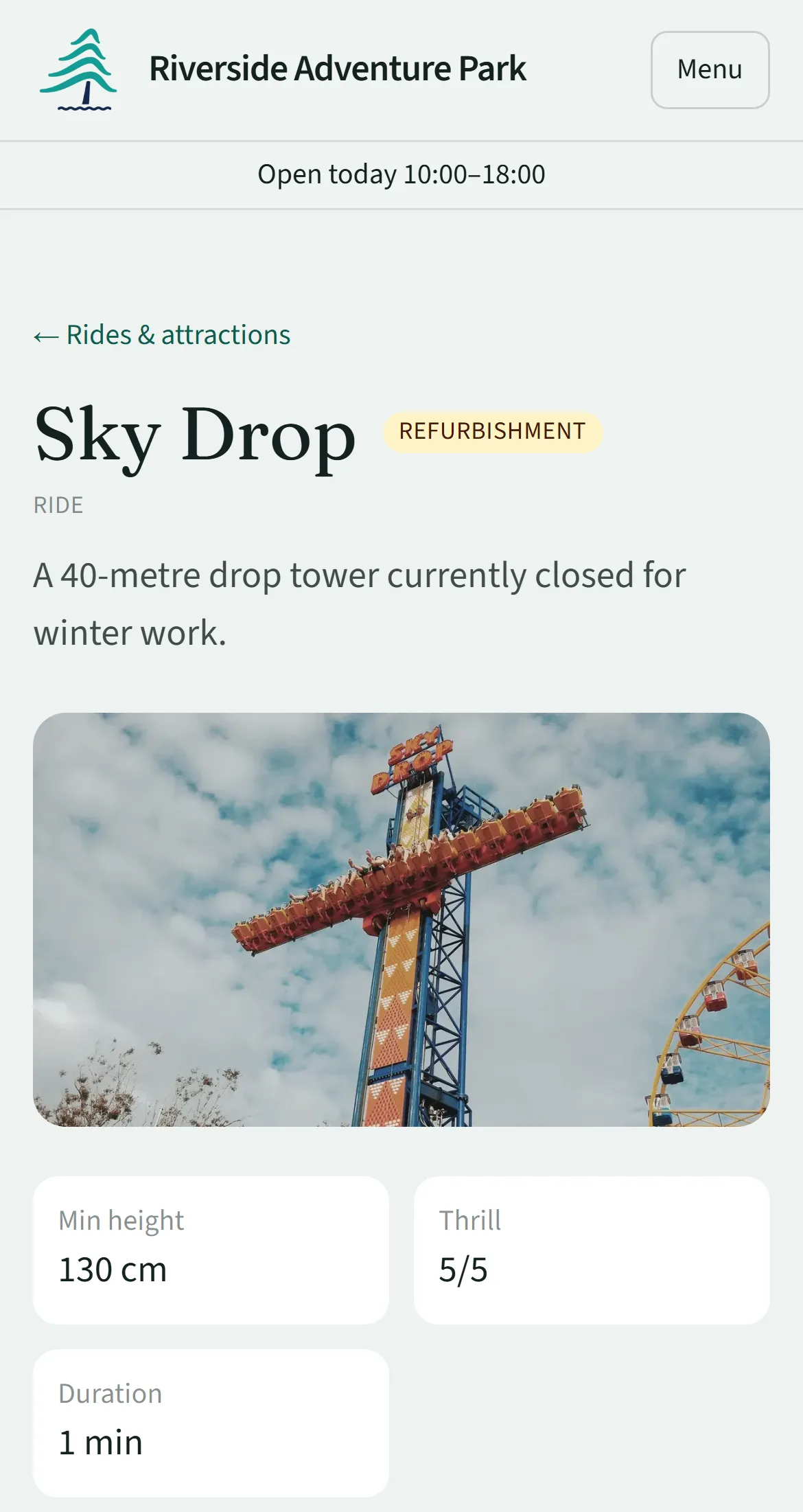
Your team can change opening hours, update attraction availability or take a ticket off sale. The public website updates immediately, without waiting for a developer.
Simple software for the people who run your attraction
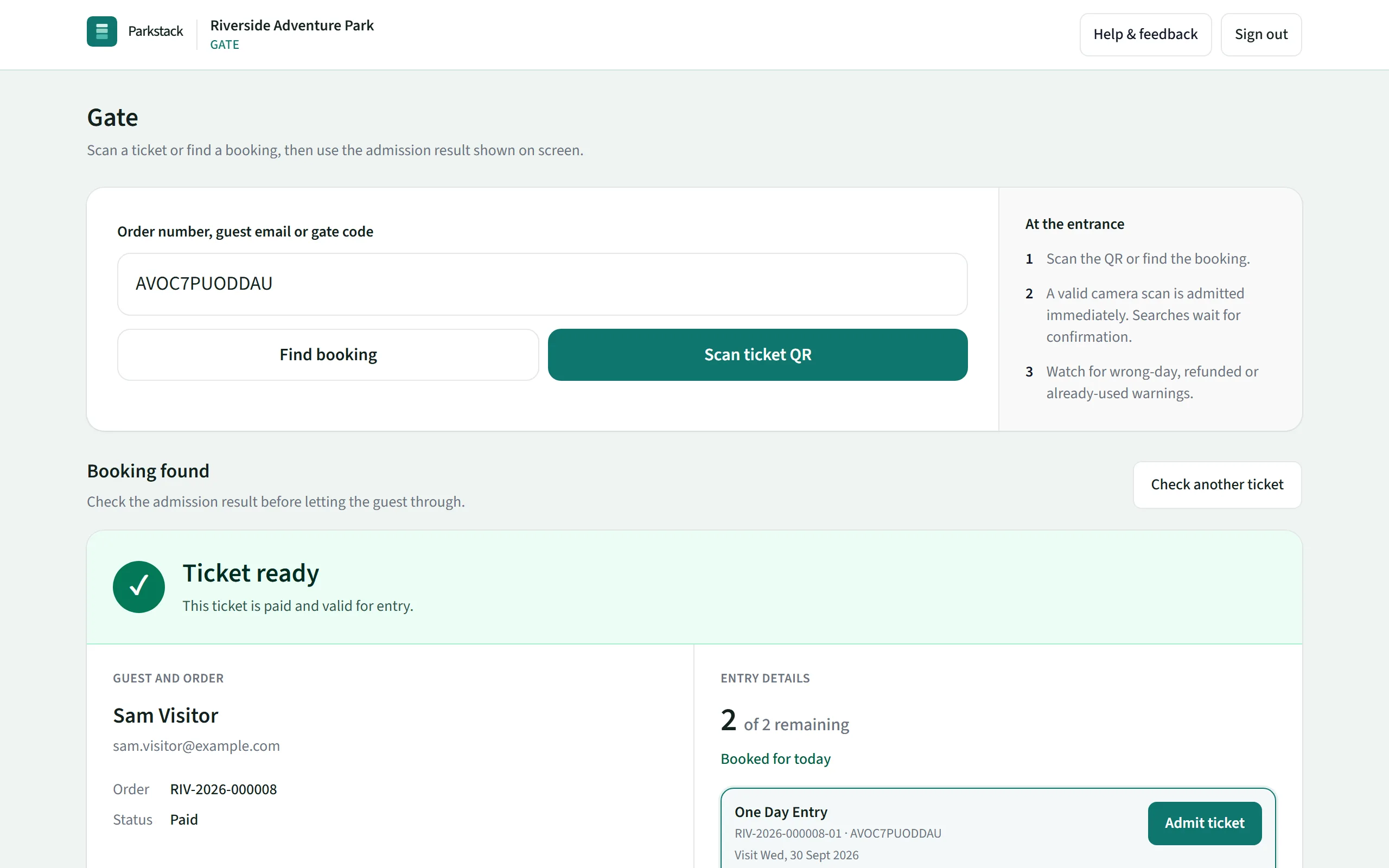
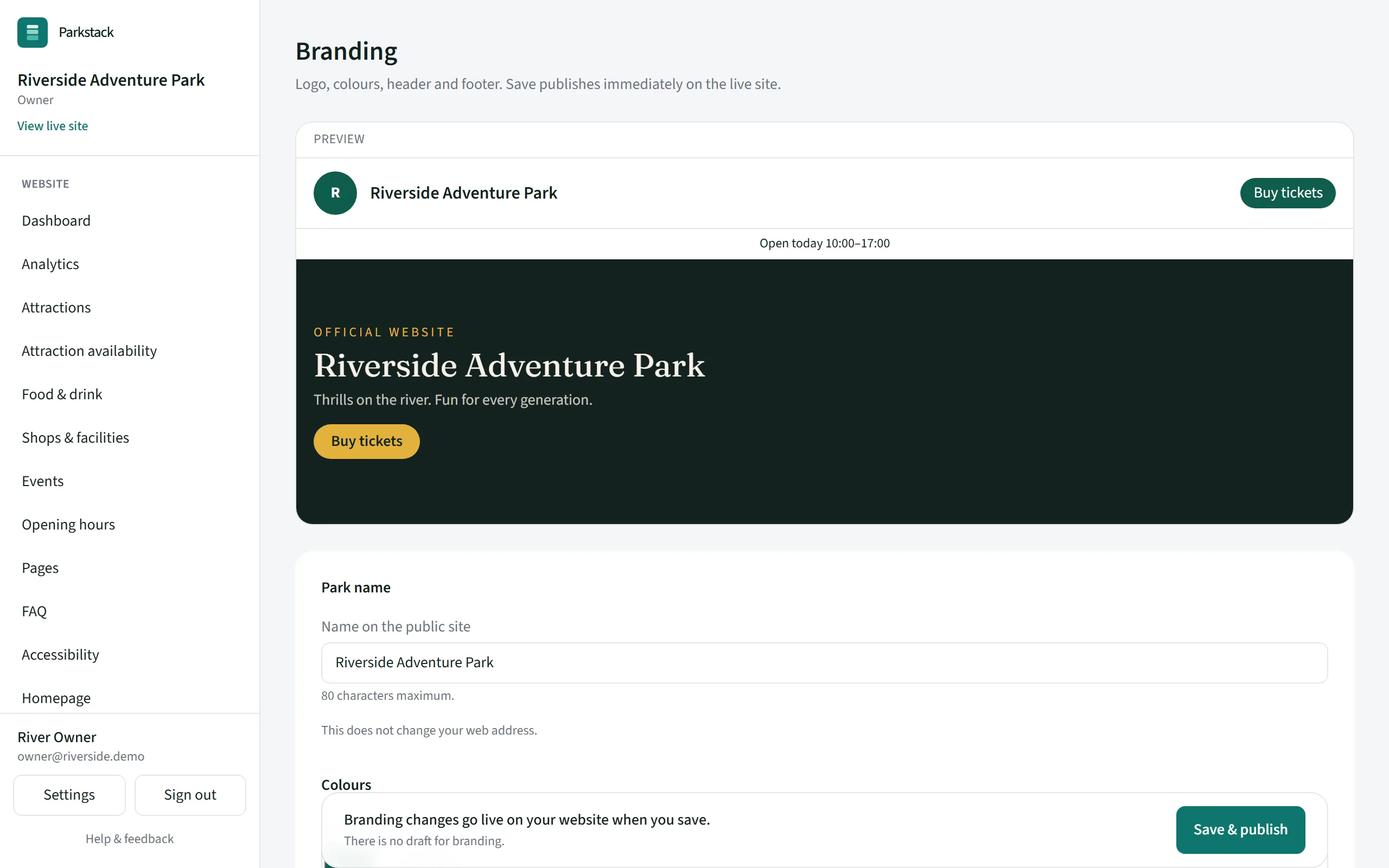
Keep the website, tickets and daily changes together in a console written in plain English. These are real screens from the demo park.
Made for the busy days
The things that matter when the car park is full: getting people in, selling at the gate, and a website that keeps up with the season.
Quick at the gate
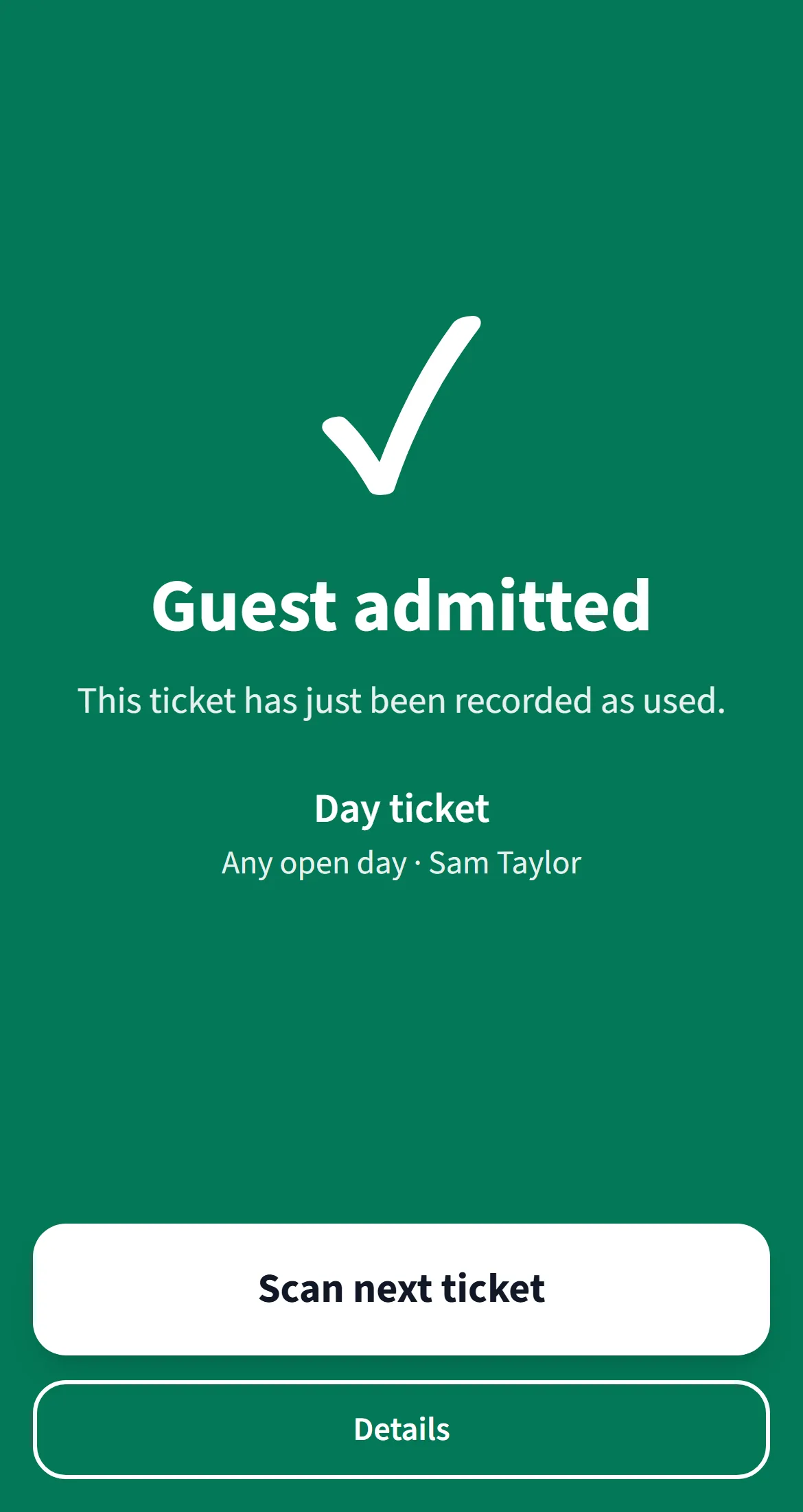
Scan one ticket and let the whole family in, with a clear green, amber or red answer. Scanner and box-office staff are free on every plan.
- console.parkstack.net/box-office
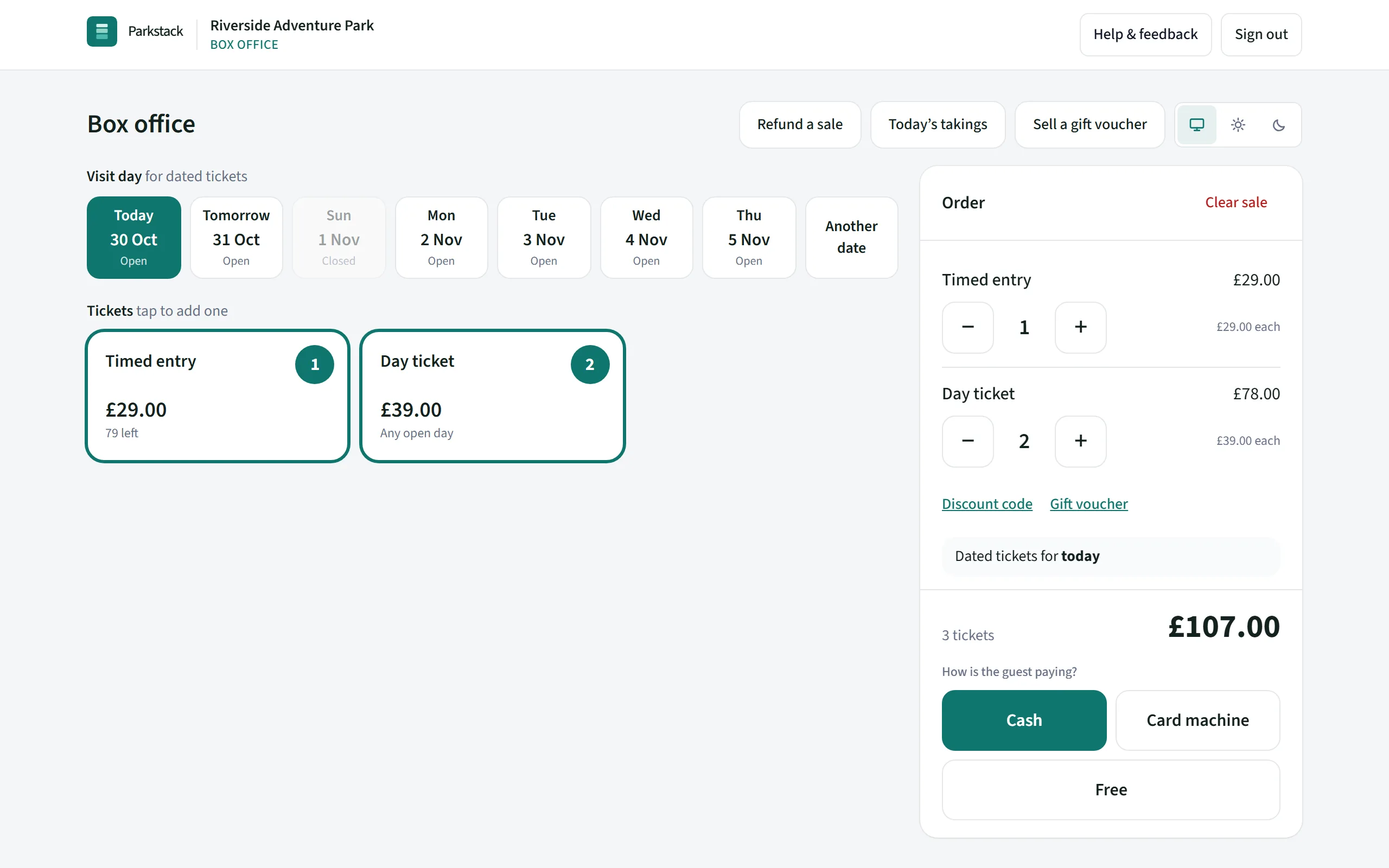
A box office that works like a till
Big buttons for each ticket, today chosen for you, the change worked out for cash, and receipts and takings that print on one page.
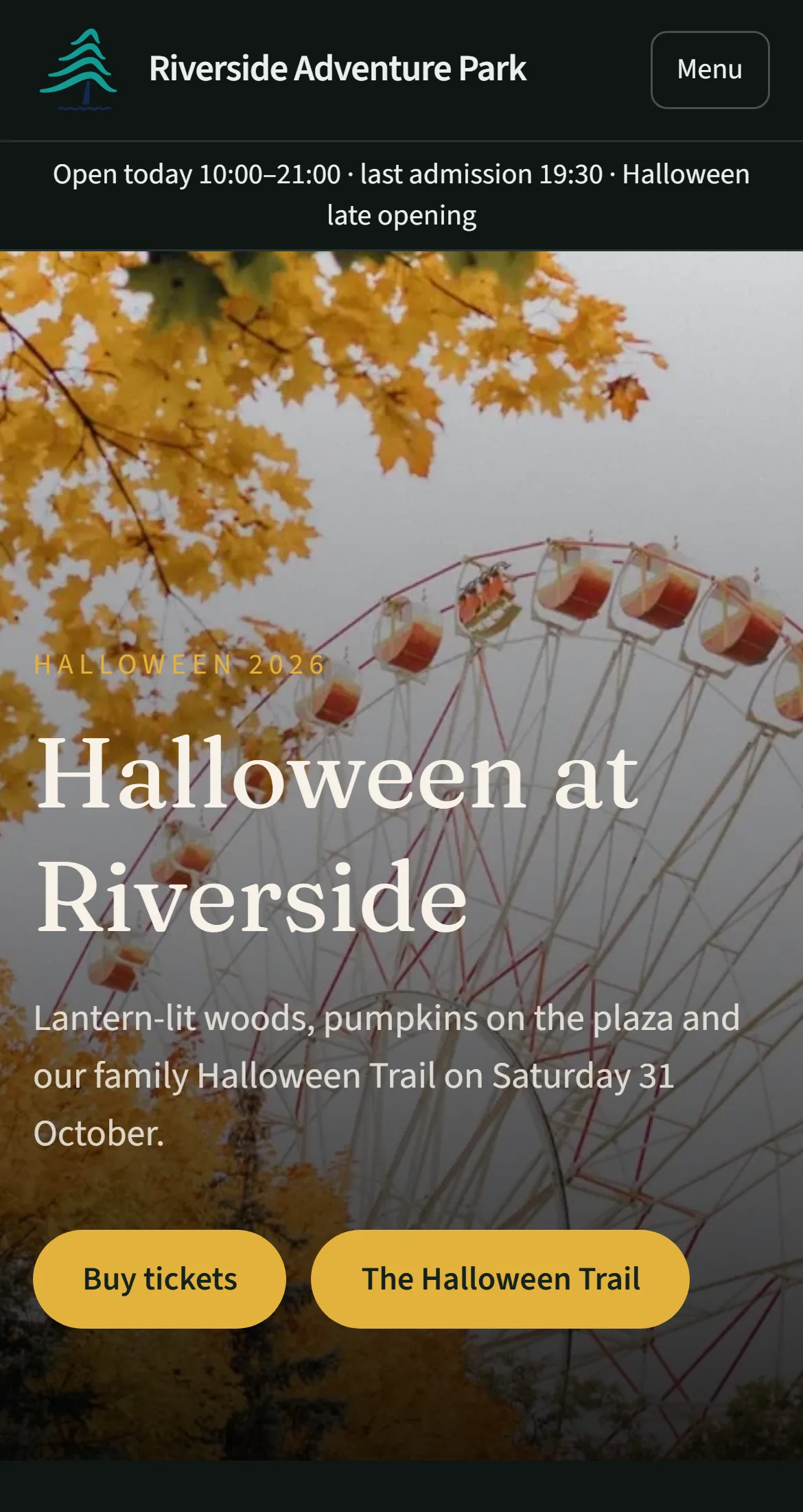
A homepage for every season
Build a Halloween or Christmas homepage in advance. It switches on and off by itself on the dates you choose, with an optional night look for the whole site.
On Professional
Launch on the minute
Schedule a new ride or event to go live at a set time, with a countdown on your homepage and a teaser at its web address until then.
On Professional
Cheaper when booked ahead
Charge more on the day than online in advance. The ticket shop shows both prices, and the box office charges the right one.
On Professional
Nothing is lost
Every published version is kept, deleted pages and photos can be brought back for 30 days, and everything is backed up every night.
See what guests are interested in
See how people use the website and where ticket sales succeed or stop. Find popular attractions, searches with no results, checkout starts and completed purchases.
- See where visitors came from: search, social, email or your own campaigns
- Read plain notes on what stands out, problems first
- Compare months, quarters, years and custom ranges, or the same dates last year
- Export daily data as a CSV, and keep daily totals for good
- Privacy-conscious first-party analytics, with a notice and opt-out for guests
Essential includes the dashboard overview. Professional includes the full analytics report.
Analytics
1 June to 30 June
Compared with the same dates last year
Website visits
1,842
+18%
Page views
6,314
+21%
Attraction views
2,906
+24%
Purchases
286
+12%
Most viewed attractions
Views
What’s included
Your website
- Attractions, food and drink, shops and facilities, events and pages of your own
- A homepage and pages built from ready-made blocks, with a live preview
- Starter designs to choose from when you set up
- Opening hours, special dates and what is closed today
- A ride height filter, a park map and “New” badges
- Your logo, colours and typeface, and your own web address
- Search engine friendly, with automatic redirects when a page moves
Tickets
- Optional: turn tickets on when you’re ready
- Day tickets, or tickets for a chosen date with daily limits
- A calendar showing places left, and a same-day cut-off at last entry
- Ticket emails with a QR code each, and the day’s hours, address and parking
- VAT shown per ticket, standard or exempt
- Refund whole orders or single tickets, and move bookings to another day
- Group bookings for schools and coaches, paid by a link
- Price on the day and group enquiries on Professional
At the entrance
- Scan tickets on any phone, and admit a whole booking at once
- Search by name, email, order number or gate code
- Keeps working with no signal, and lets guests come back in the same day
- A box office for cash or your own card machine
- Stripe card readers at the box office on Professional
- Printed receipts and end-of-day takings
- Scanner and box-office staff free on every plan, up to 25
Analytics
- Visits, ticket sales and what needs attention on the dashboard
- Where visitors came from: search, social, email and your campaigns
- Plain notes on what stands out, such as a day close to selling out
- Popular searches and searches with no results
- The full report with comparisons and CSV export on Professional
Money
- Ticket money paid straight to your own bank account
- No Parkstack fee on tickets at the moment
- Box-office takings by payment method and staff member
- An accounts export for your bookkeeping, and a refunds report, on Professional
- A refund period you choose, with a reason recorded for any refund outside it
Peace of mind
- Every published version kept, ready to load again
- Deleted pages, photos and files kept for 30 days
- Encrypted backups every night
- Take the website offline with your own message
- Guests’ data requests answered from the console
- Two-step sign-in, required for owners
Plans from £49 per month
Every plan includes your website, the console, ticketing and the box office, with Scanner and box-office staff free. Professional adds the full analytics report and the tools to sell more: price on the day, a seasonal homepage, publishing at a set time and more.
Compare plansAdmission
- EssentialSmall attractions£49 per month
- ProfessionalGrowing attractions£99 per month
New in Parkstack
See everything that’s new· Professional
Peak and off-peak prices
Mark busy and quiet dates on one price calendar and give each dated ticket its prices for them. Guests see each day's price on the ticket calendar, and the box office charges the same.
The park in your calendar app
Owners and managers can see the park's opening hours, event times, school holidays and group bookings in Google Calendar, Outlook or their phone's calendar, kept up to date by itself.
The help assistant
Ask from any console page, in your own words: how to do something, why guests can't buy yet, or how the week looks. It answers from your park's own settings and drafts descriptions for you to check.
· Professional
Weather, patterns and a two-week forecast on Attendance
Each day's weather beside its visitors, plain findings on what rain and holidays do to your numbers, and, with a year of days, a forecast for the next two weeks.
Launch without a long website project
Set it up at your own pace. Keep it private until you are ready, then publish. Try Professional free for 14 days. No card needed.