The gate and box office
Check tickets on any phone with the Scanner, and sell on the day from a box office that works like a till. Staff see only the tool they need, not the rest of the console.
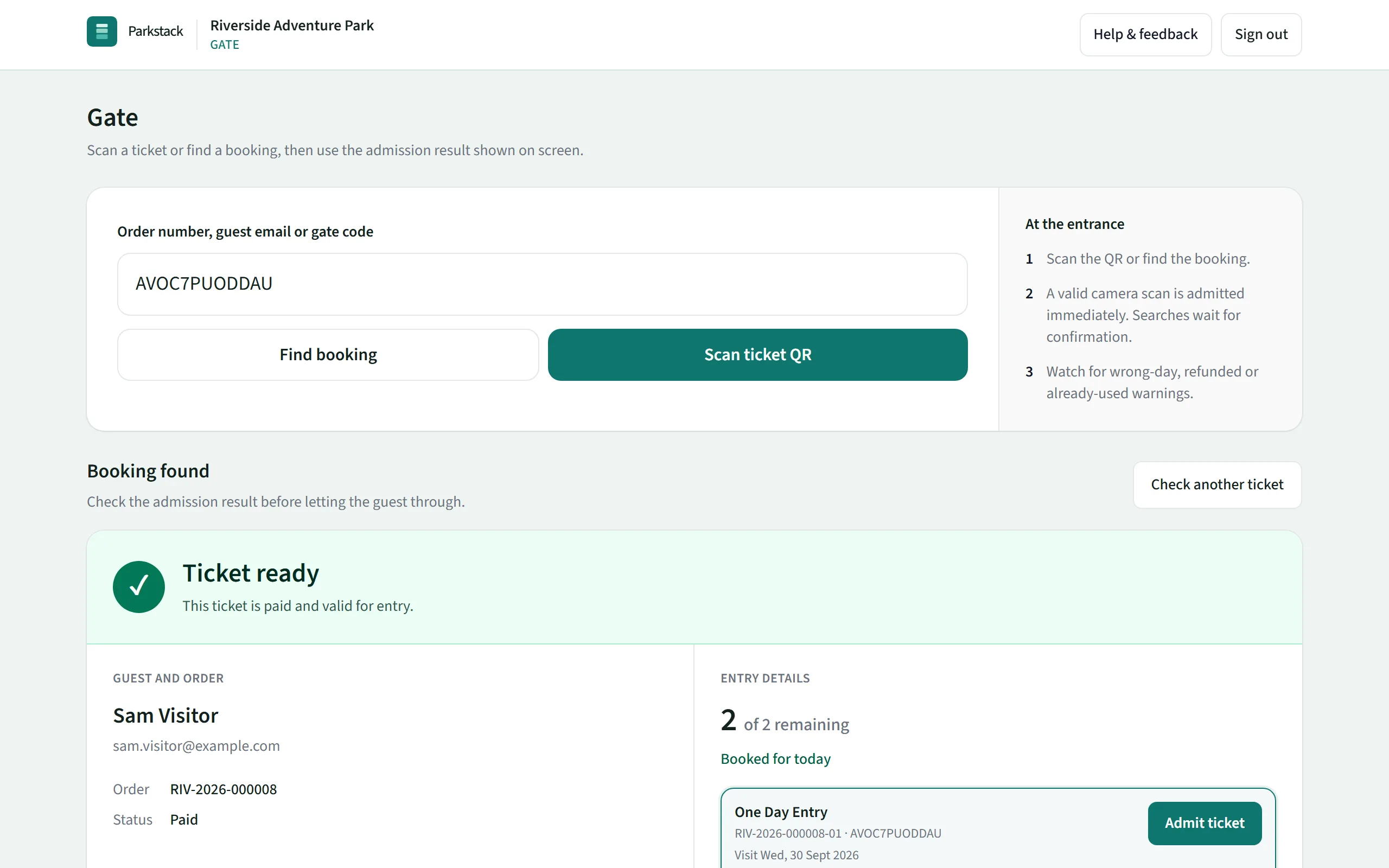
Scanning tickets on any phone
The Scanner runs on any phone with a camera: add it to the home screen and it opens like an app. Point it at a ticket’s QR code and the whole screen answers: green to let them in, amber to check something, red not to.
A family’s booking can come in with one scan, or one ticket at a time. Tickets for another day, refunded tickets and tickets already used are refused, with the reason and when they were used.
- A clear green, amber or red answer, with a buzz and a beep
- Let a whole booking in at once, or choose who
- Search by name, order number or the code printed on the ticket
- See who let each ticket in, and when
- Undo a mistaken admission, with the history kept
- Light and dark screens
It keeps working with no signal
While it has signal, the Scanner keeps today’s tickets on the phone. If the signal drops, it carries on checking and letting guests in, and sends the scans as soon as it is back online.
If two phones let the same ticket in while offline, the console shows it, so nothing goes unnoticed.
- Today’s tickets kept on the phone, without guests’ email addresses
- Scans sent automatically when the signal returns
- Opens with no signal, from the home screen
Come back in, and days in a row
Tickets can let guests leave and come back on the same day: the Scanner welcomes them back and shows when they first came in. Multi-day tickets and passes work the same way, day by day, and say how many days are left.
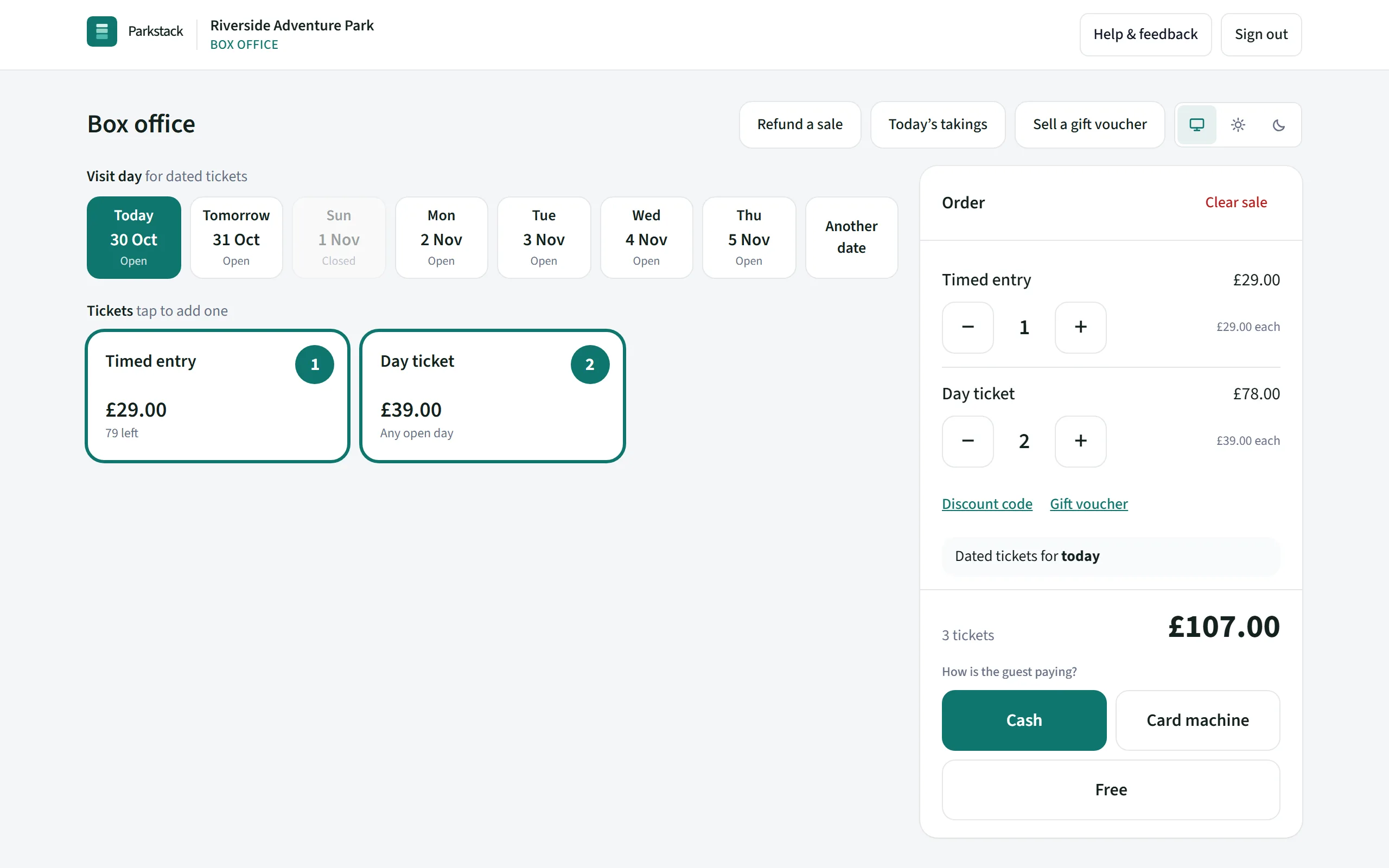
The box office
The box office is a till built for the busy days: big ticket buttons, today chosen for you, and payment in one tap. Take cash, with the change worked out, your own card machine, or a Stripe card reader that takes the payment itself.
Print a receipt, email the tickets, or let the guests straight in. Box-office staff can also sell gift vouchers and refund today’s sales if you allow them.
- Cash, your own card machine, a Stripe card reader or free tickets
- Any day’s tickets, with places left shown on each day
- Discount codes and gift vouchers at the till
- Printed receipts and tickets
- Let guests in as they pay
Stripe card readers are included with Professional. Cash and your own card machine work on every plan. See plans
The end of the day
Takings show each day’s box-office sales by payment method and by staff member, with what to check each one against: the cash drawer, your card machine’s report, or Stripe.
- Takings for any day, printable on one page
- Refunds counted on the day they were given
- Gift vouchers sold and gift cards activated, shown apart
Staff logins
Give every scanner and box-office colleague their own login, so you know who let each guest in and who took each sale. They see only the Scanner or the box office, and they don’t count towards your plan’s logins: up to 25 on every plan.
How-to guides
More of Parkstack
- Your websiteBuild and run your park’s website yourselves
- Selling ticketsOnline tickets, vouchers, groups and refunds
- ReportsSales, website visits and your accounts
- Your team and your dataWho can do what, and keeping things safe